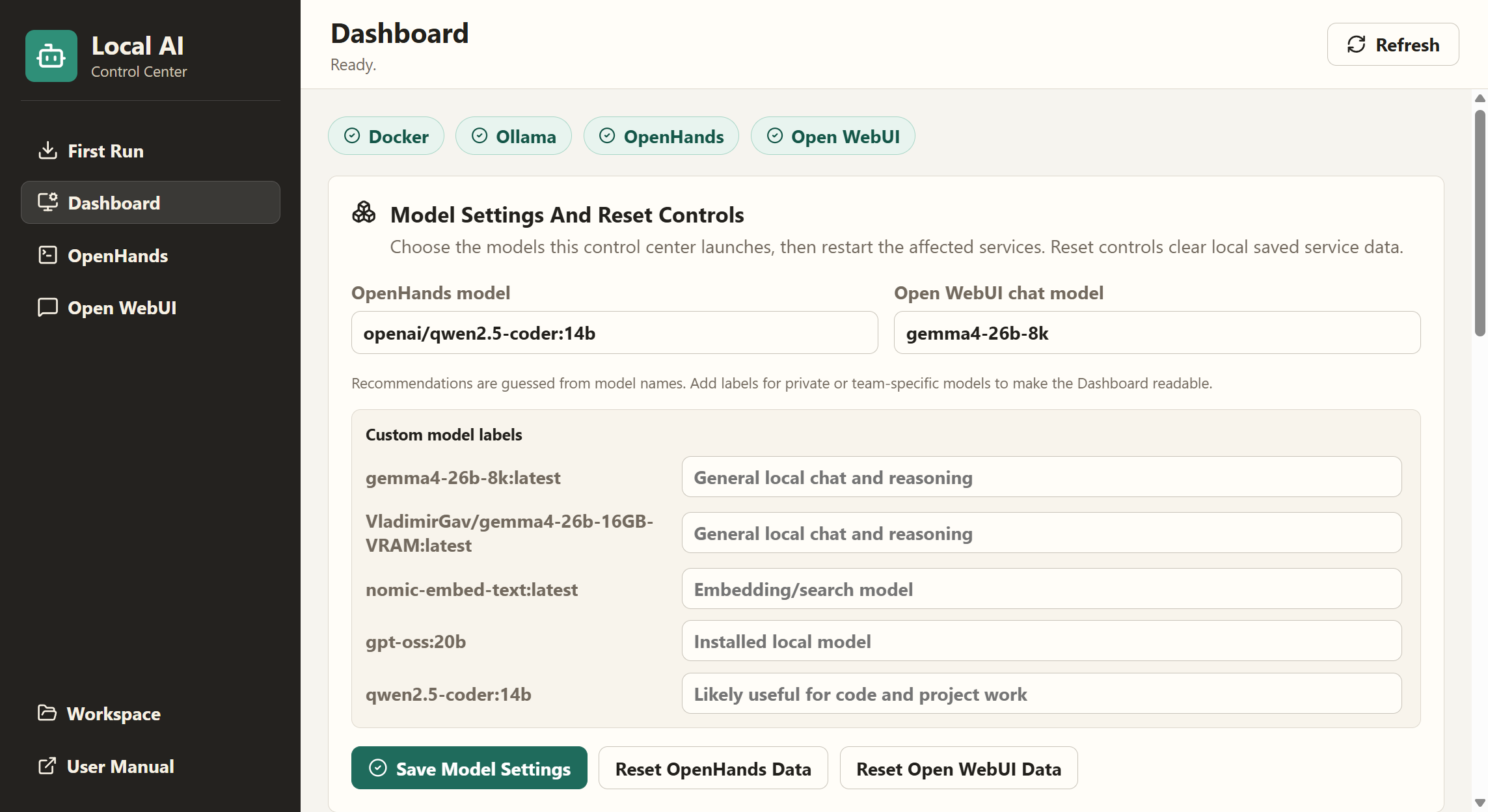
Local AI Control Center dashboard showing Docker, Ollama, OpenHands, Open WebUI, models, and local runner status

Local-first AI operations for Windows

Run your local AI stack from one clear desktop control center.

Local AI Control Center brings first-run setup, hardware checks, Ollama, OpenHands, Open WebUI, workspace access, health checks, and local test runs into a single GUI, so you can use local models without managing a pile of terminal commands.

Honest status: Windows-only and built for hefty local AI machines: roughly 16 GB available VRAM, 32 GB RAM, and room for model downloads.

The problem

Local AI is powerful. Running it is still too fiddly.

Less terminal juggling

Start and stop OpenHands and Open WebUI from a dashboard instead of remembering Docker commands, container names, and ports.
First-run setup

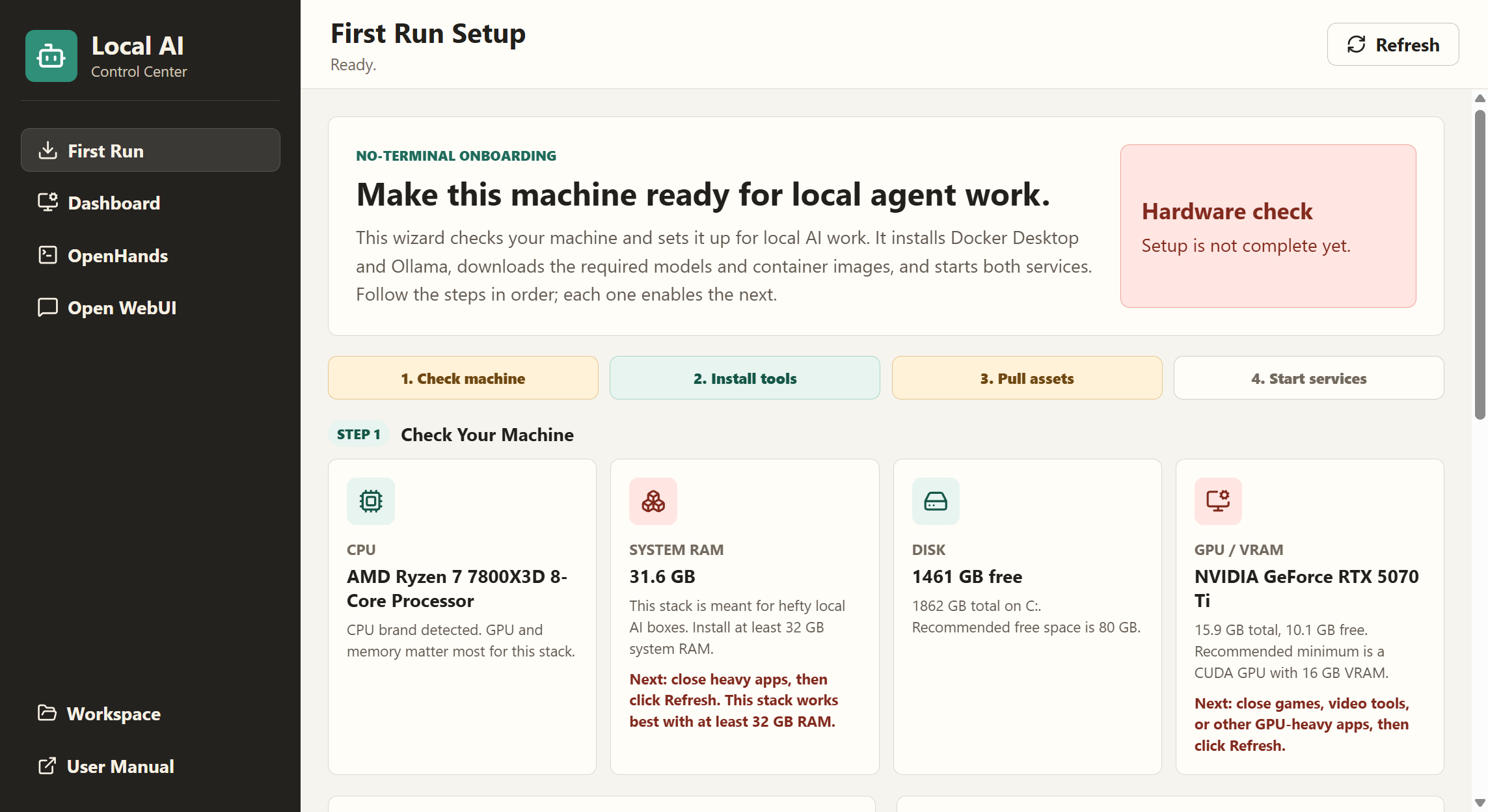
Scan CPU, RAM, disk, GPU, and VRAM, then install Docker Desktop and Ollama and pull required models from the GUI.

Agent work stays visible

The writable workspace is explicit. Open it from the app, know where files live, and keep agent edits contained.

What it controls

A practical shell around the tools you already chose.

This is not a new model runtime or a hosted AI service. It is a local desktop control layer for the stack: Ollama for models, OpenHands for file and project work, and Open WebUI for everyday chat.

1 Scan machine fit and missing prerequisites
2 Install Docker Desktop and Ollama if needed
3 Pull models and Docker images
4 Start OpenHands, Open WebUI, and run smoke checks

First Run flow

A guided setup path instead of a blank dashboard.

Packaged Local AI Control Center First Run setup screen with hardware checks and step progress
1 Read hardware and explain blockers
2 Install Docker Desktop and Ollama
3 Pull the selected local models and images
4 Start services, save completion, open Dashboard next time

Current product status

Honest about what works and what comes next.

Working now

  • Windows desktop GUI with embedded local service views
  • OpenHands and Open WebUI launch controls
  • Localhost-only Docker port binding
  • Local runner with build, type, and smoke checks
  • Docker command discovery and pinned Open WebUI image
  • First-run setup wizard with hardware and VRAM checks
  • GUI setup actions for Docker, Ollama, models, and images
  • Port-conflict preflight before service starts
  • Behavioral tests for setup hardware gates
  • Live streaming setup logs for installs, model pulls, image pulls, and service starts
  • Typed Ollama model list and separated setup/runner output panels
  • Guided First Run sequence, completion memory, rendered manual link, model switching, and reset controls
  • First Run visual preview and install-flow diagram
  • Editable model labels and recommendations for custom model libraries
  • Real child-process integration tests for timeout and error-exit behavior
  • Packaged end-to-end screenshots captured from a clean user-data launch

Post-v0.4.3 punch list

No open items remain from the ordered punch list.

Local-first, not cloud-first

Keep the models and the work on your machine.

Download the current Windows build, inspect the repo, or fork it for your own local AI workstation.