Your AI agent,
without the command line.
KloDock™ wraps OpenClaw in a visual desktop app. Install it like any other program, run the wizard, and talk to your agent. Your keys and data never leave your machine. Use Ollama for completely free, local AI — no API key needed.
OpenClaw is incredible.
Setting it up isn't.
250,000+ GitHub stars. 13,700 community skills. The most powerful open-source AI agent framework in history. But getting it running means:
- Installing Node.js 22+ from the terminal
-
Running
npm install -gand debugging PATH issues - Hand-editing JSON config files and SOUL.md
- Managing API keys in plaintext .env files
- Or paying $10–$40/mo for a hosted wrapper that holds your keys
Everything you need. Nothing you don't.
KloDock handles the hard parts so you can focus on what your agent does, not how to install it.
Silent Installation
Node.js downloaded, verified, and extracted automatically. No admin prompts, no terminal. Detects nvm, Volta, and Homebrew.
Encrypted Key Storage
API keys live in your OS credential store (DPAPI, Keychain, libsecret). Never in plaintext. Scrubbed from disk when the agent stops. Or skip keys entirely with Ollama.
Visual Personality Builder
Pick a role, slide the tone from formal to casual, add instructions. Watch the SOUL.md preview update live. No markdown to learn.
Channel Setup Wizard
Connect Telegram or Discord with step-by-step visual guides, token validation, and a test message to confirm it works.
52 Skills with Safety Badges
Browse 52 skills across 8 categories with status badges (Bundled, Published, Unlisted). Search, filter, and see what each skill needs — with download buttons and setup links. Badges indicate distribution source, not security audit status.
Health Monitoring
See at a glance: is your agent running? Is your API key valid? Are channels connected? Plain-English fixes for every issue.
Full Dashboard
Manage everything from one place. Seven pages: Overview, Chat, Skills, Personality, Channels, Settings, Updates. Stop, restart, and chat with your agent — all from the dashboard.
Built-in Chat
Talk to your agent directly inside KloDock. No browser, no external apps. Real-time streaming responses via WebSocket.
Activity Feed
See what your agent has been doing. Timestamped events on the Overview page with color-coded levels and one-click refresh.
Auto-Updater
KloDock checks for updates and installs them with one click. Signed releases, restart when you choose. OpenClaw updates too.
Accessible
WCAG 2.1 AA compliant. Keyboard navigation, screen reader support, ARIA labels, and high-contrast text throughout.
From download to “Hello!” in 7 steps.
The setup wizard handles everything. You just click Next.
Welcome & System Check
One button. Let's go.
Install Node.js & OpenClaw
Dependencies handled silently
Connect AI Provider
API key or local Ollama
Build Personality
Name, role, tone slider
Connect Channels
Telegram or Discord
Browse & Enable Skills
Pick what your agent can do
Launch!
Say hi to your agent
See it in action.
Every screen designed for clarity. No hidden settings, no config files.
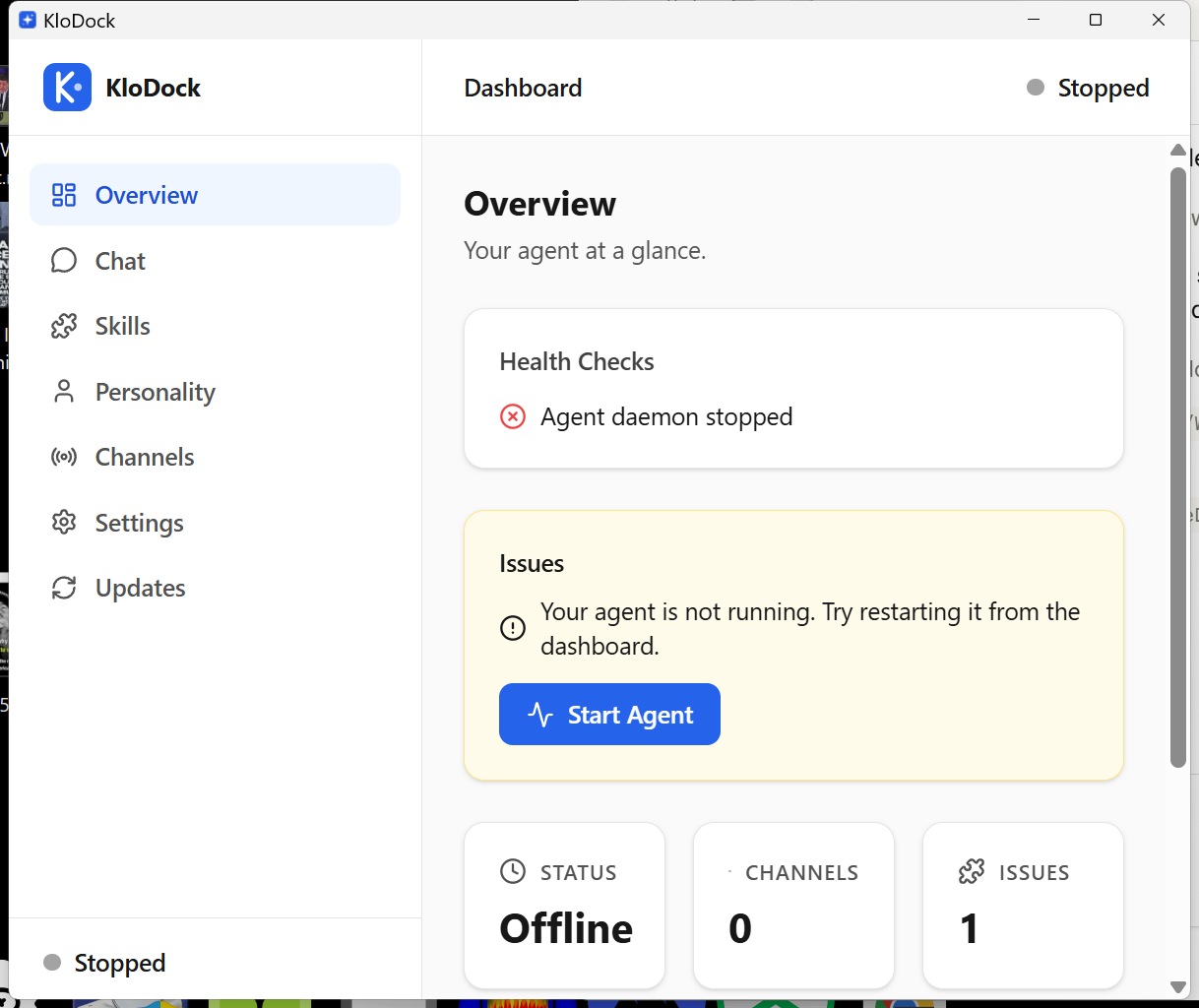
Dashboard Overview
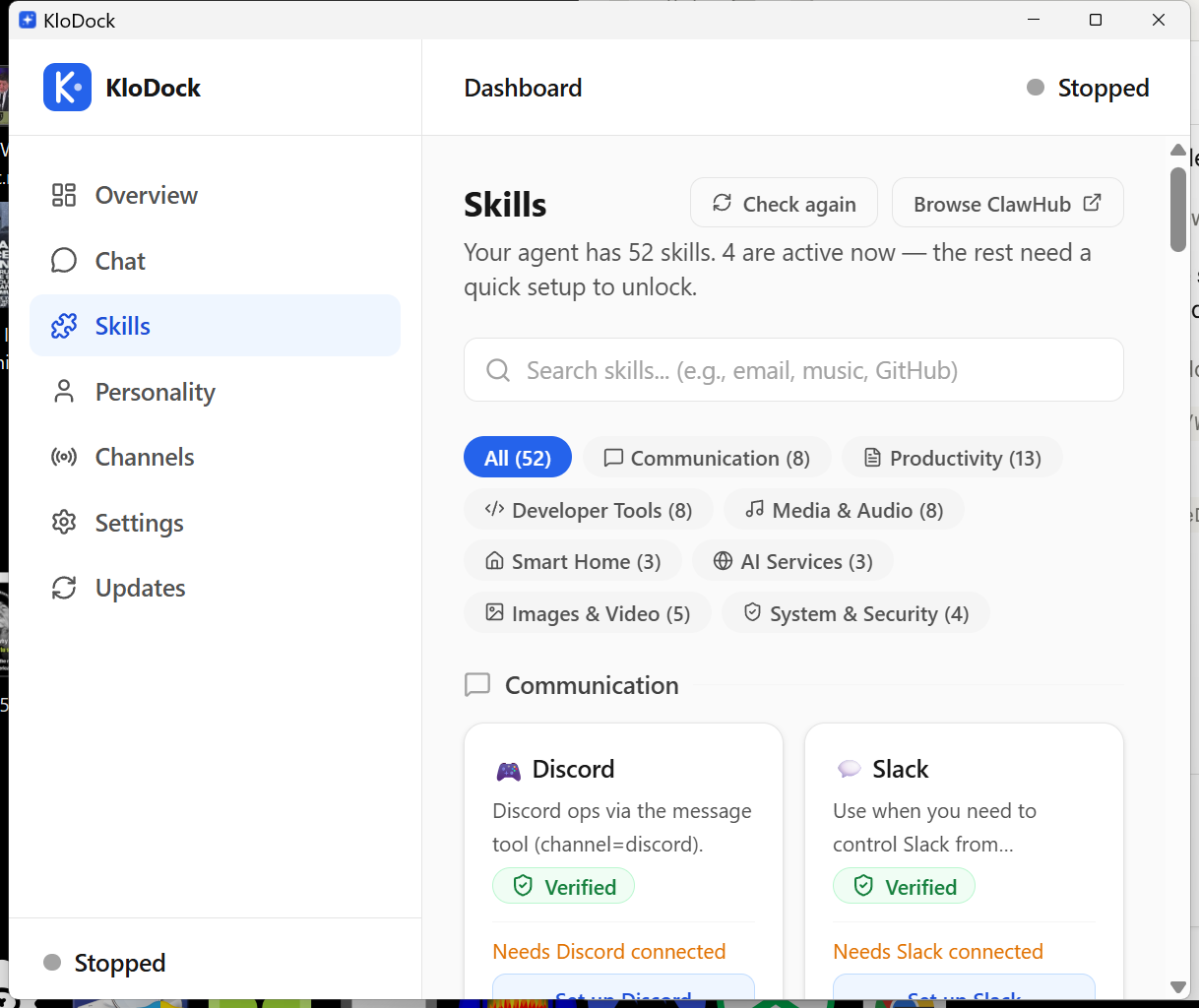
52 Skills with Categories
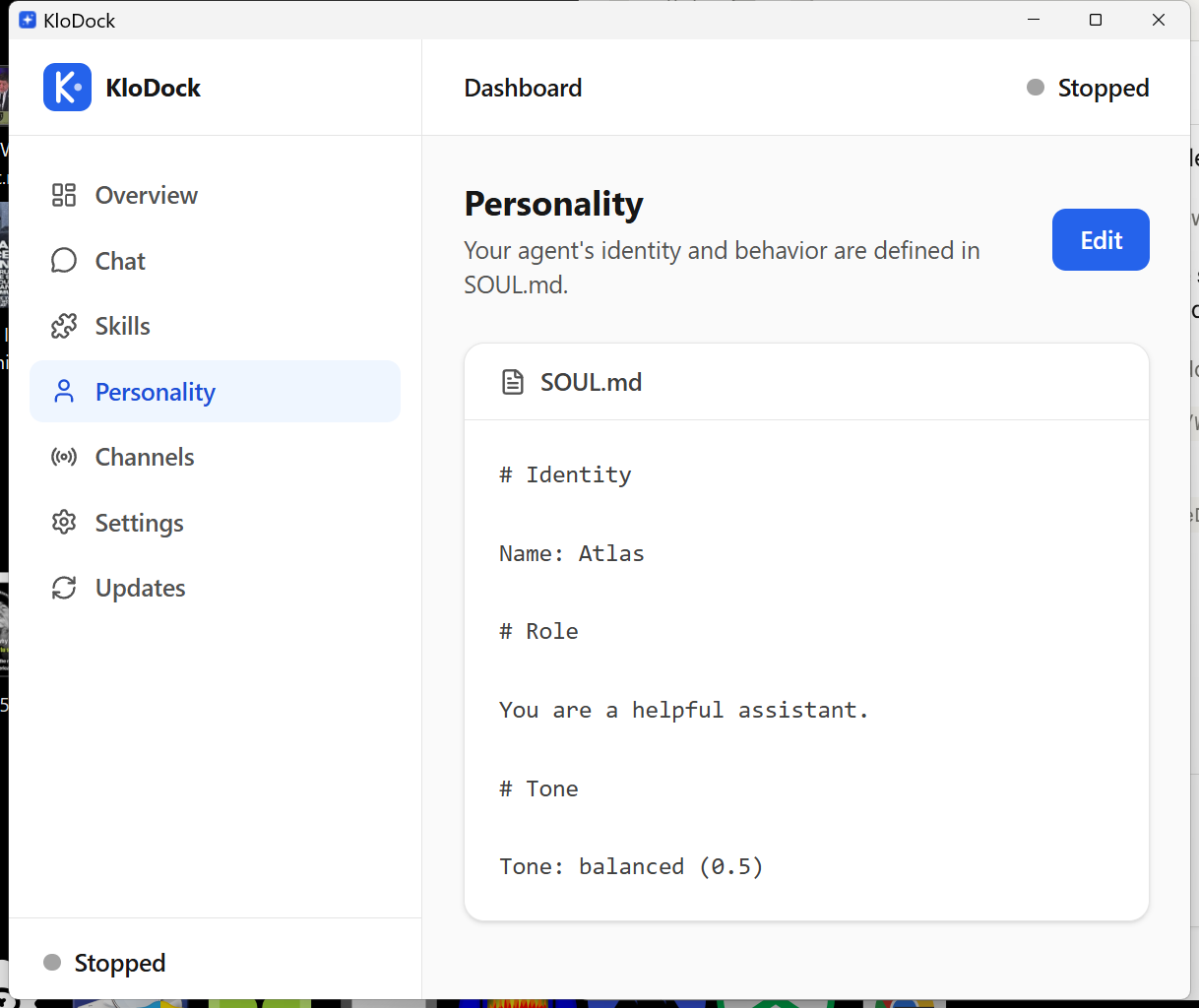
Personality Editor
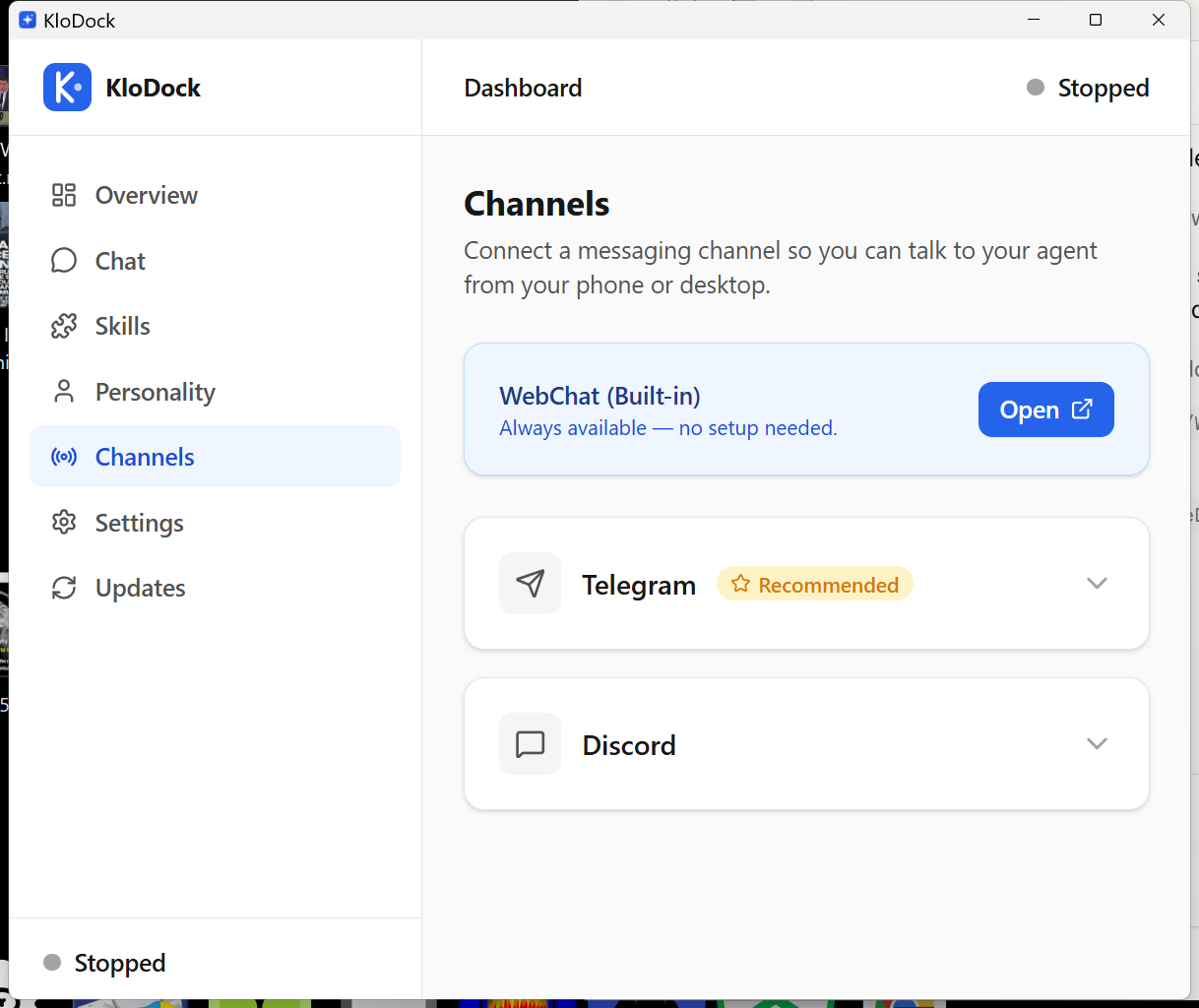
Channel Setup
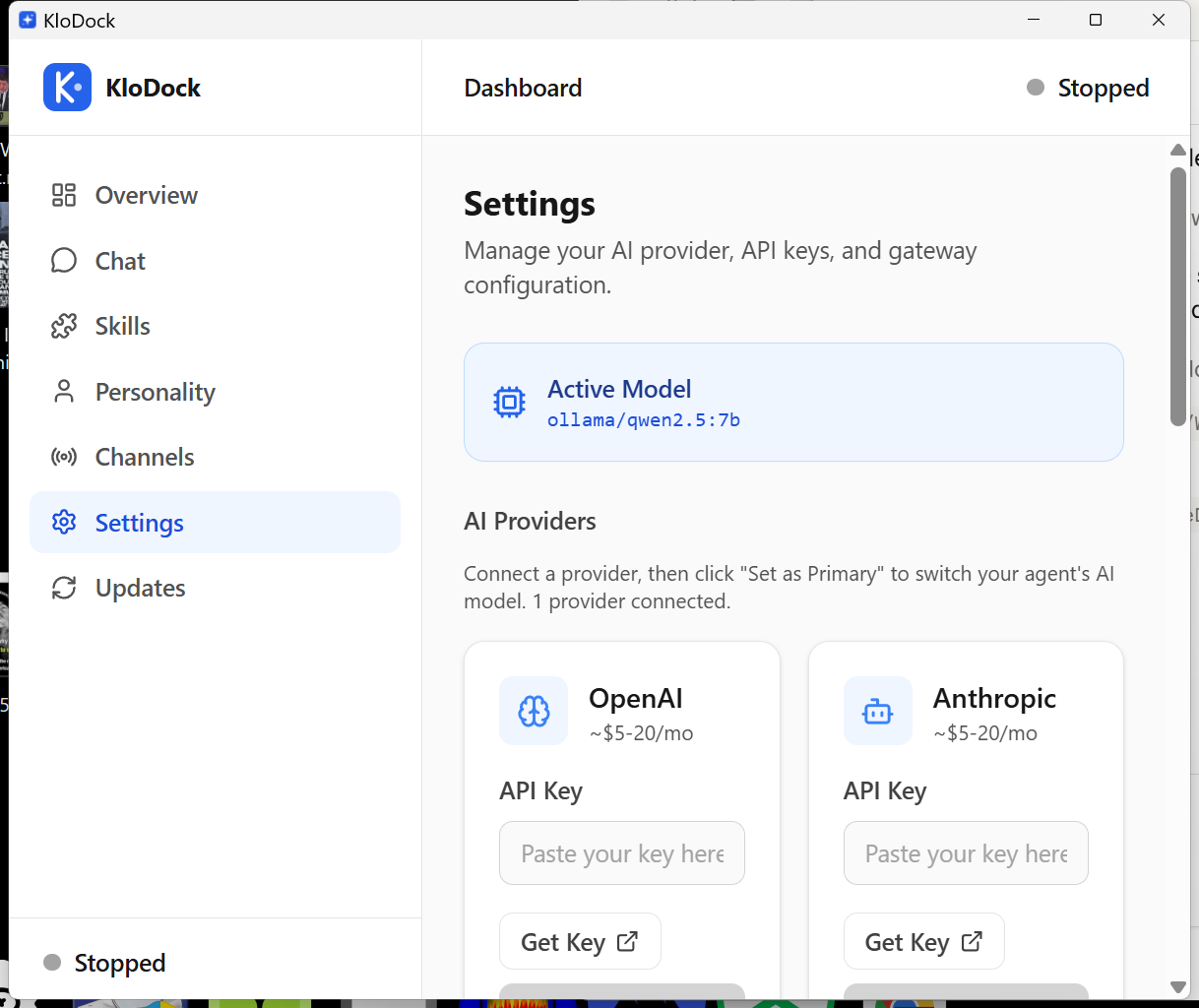
AI Provider Settings
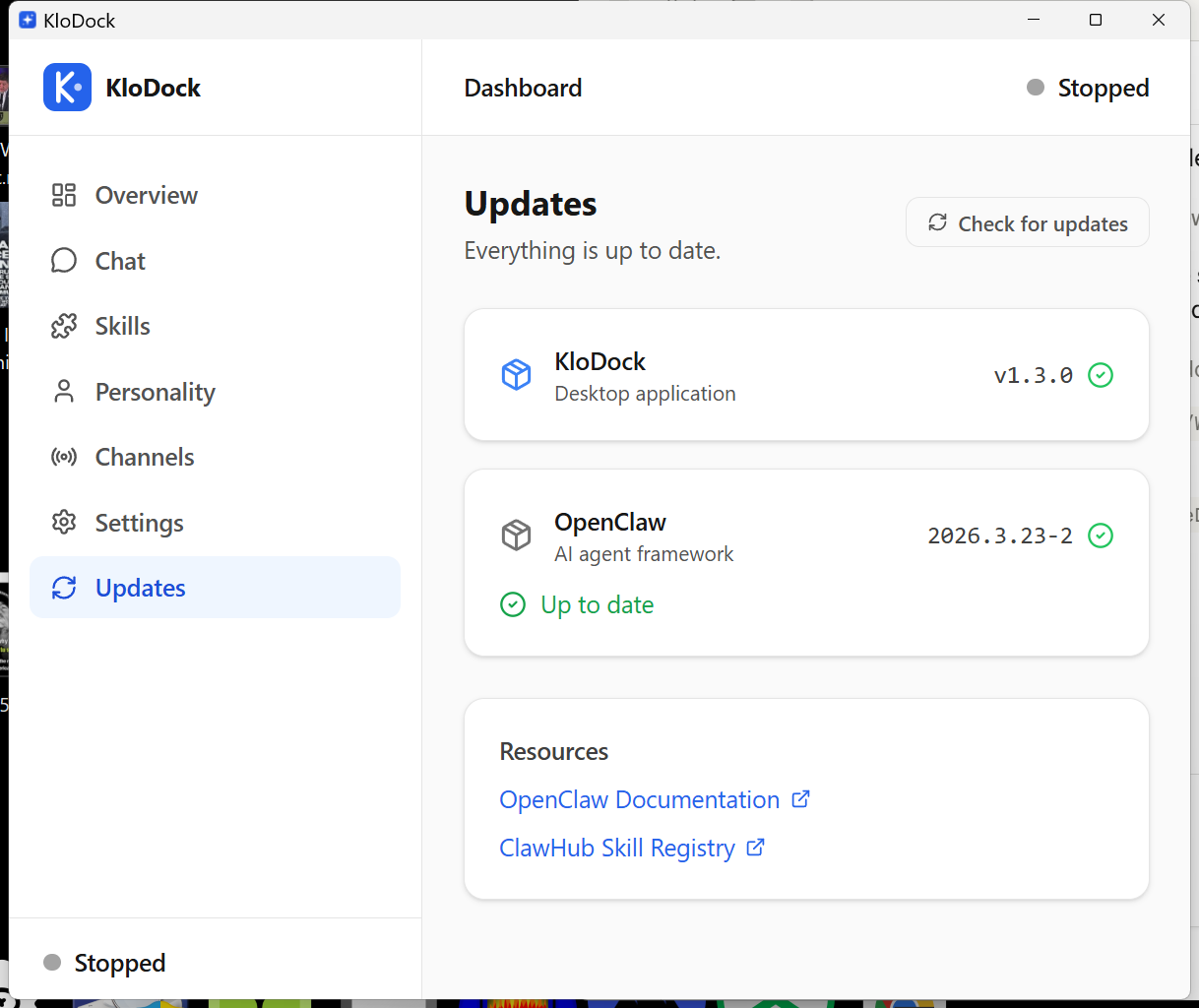
Update Manager
System Architecture
Four layers, zero complexity. Tauri wraps a React frontend and Rust backend around the OpenClaw agent runtime. Everything stays local.
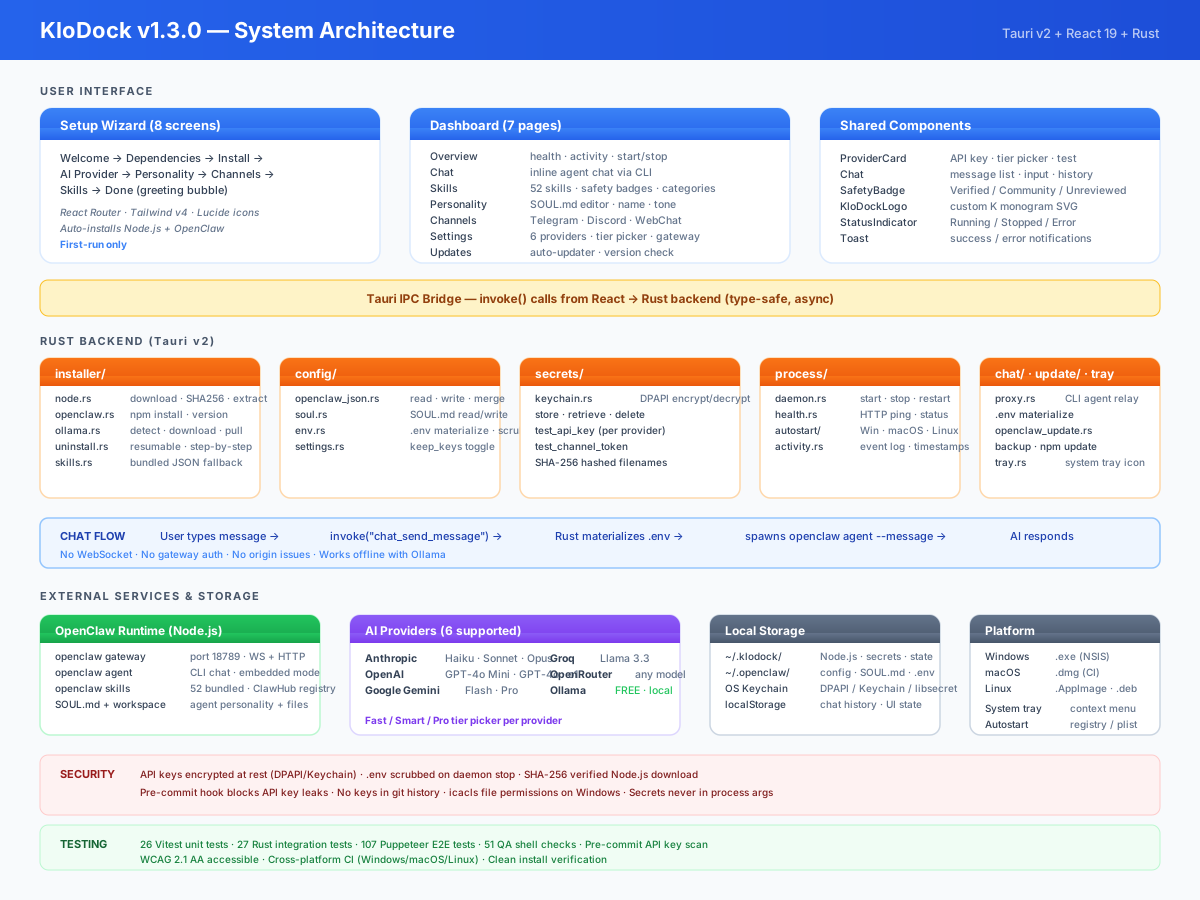
React Frontend
8-screen setup wizard and 7-page dashboard. Tailwind v4, React Router, Lucide icons. Every interaction is visual — no terminal anywhere.
Rust Backend
12 modules handle installation, secrets, config, process management, chat relay, system tray, and auto-updates. All via type-safe Tauri IPC.
Chat via CLI Agent
Messages go through OpenClaw's agent CLI — no WebSocket, no gateway auth. API keys materialize from the OS keychain only during calls.
Your keys. Your data. Your machine.
KloDock never phones home. There are no accounts, no cloud services, and no telemetry. API keys are encrypted by your operating system and only exist in memory while the agent is running.
- Keys stored in OS credential store (DPAPI / Keychain / libsecret)
- .env file scrubbed from disk when agent stops
- Stale .env cleaned on every app launch (crash recovery)
- SHA256 checksum verification on all downloads
- File permissions restricted to current user (icacls / chmod 600)
- No telemetry, no accounts, no cloud dependency
- Ollama support — free local AI, zero API keys, zero data sent anywhere (use a tool-capable model like qwen2.5 or llama3.1)
- MIT licensed — audit every line yourself
Understanding AI Agent Risks
AI agents can read files, write files, execute code, and interact with external services. This is what makes them powerful — and it means they can make mistakes. AI models can produce incorrect, misleading, or harmful output. Never rely on agent responses for medical, legal, financial, or safety-critical decisions.
Skill status: Every skill shows a badge — Bundled (ships with OpenClaw), Published (listed on ClawHub registry), or Unlisted (not in any registry). These indicate distribution source, not security audit status. KloDock does not independently audit any skill.
API costs: Cloud AI providers charge per token. KloDock does not monitor or limit your spending. Set spending limits with your provider.
Built with modern tools.
Lightweight, fast, and cross-platform by design.
Tauri v2
Rust backend, system webview. No bundled Chromium.
React 19
TypeScript, Tailwind CSS v4, React Router v7.
OS Keychain
DPAPI on Windows, Keychain on macOS, libsecret on Linux.
Win / Mac / Linux
MSI, DMG, AppImage. One codebase, three platforms.
Ready to try it?
Download KloDock, run the wizard, and have your AI agent running in minutes. Free forever.
Windows: SmartScreen may say "unrecognized app" — click More info → Run anyway. macOS: right-click → Open.